
Download freeCommander – file manager, dual window, file organization, file compression, folder sync, file search, free file manager, Windows file explorer alternative
Overview
freeCommander is a powerful file management tool designed to enhance the way users interact with their digital files on Windows. It serves as a robust alternative to the default Windows Explorer, offering advanced functionality tailored for both casual users and power users alike. The app addresses common pain points such as inefficient file navigation, lack of batch operations, and limited search capabilities.
By providing a dual-window interface, freeCommander streamlines file movement, comparison, and organization across multiple directories. Its primary users include individuals managing large collections of documents, photographers organizing media files, and professionals who rely on consistent file workflows. The application is particularly useful for those who frequently archive, compress, or synchronize folders.
Although the developer did not provide additional background information, the app's long-standing presence in the productivity space suggests reliability and user trust. Real-world use cases include backing up project folders, preparing compressed archives for email, and maintaining synchronized directories between local and external drives. In the broader app ecosystem, freeCommander fills a niche for lightweight yet feature-rich utilities that enhance system efficiency without requiring high system resources.
Key Features & Functionality
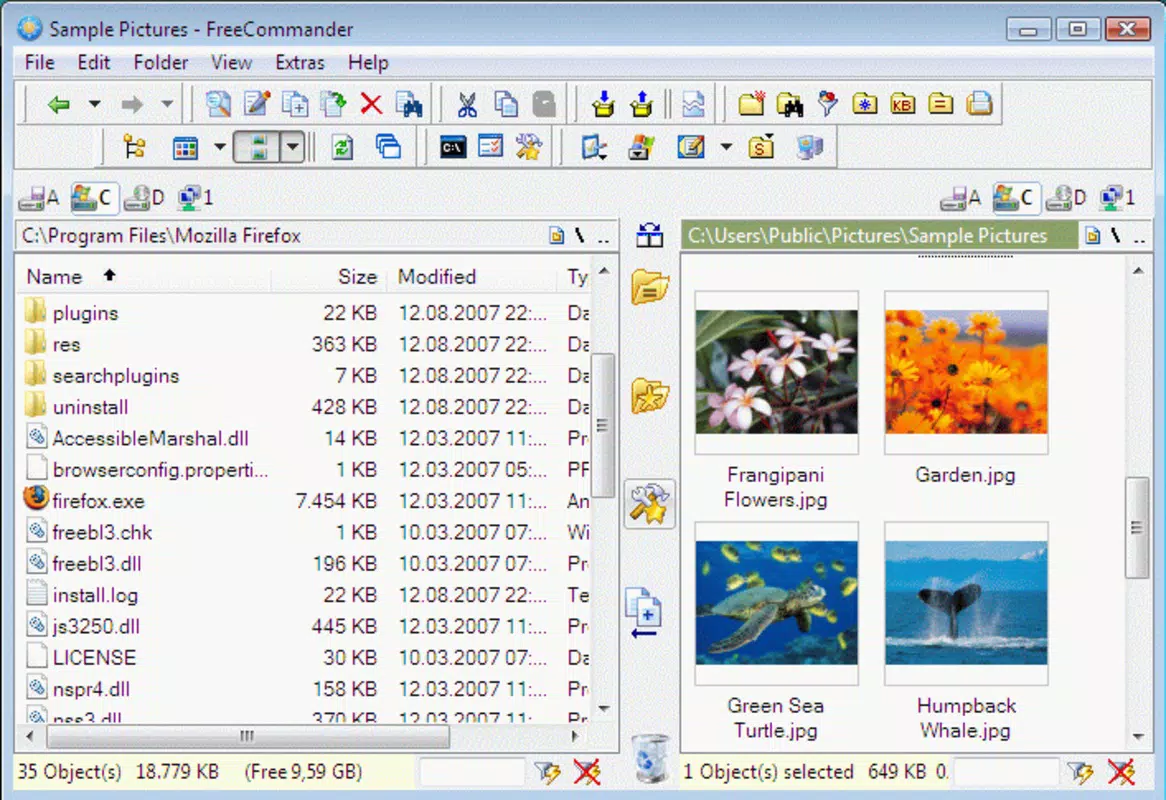
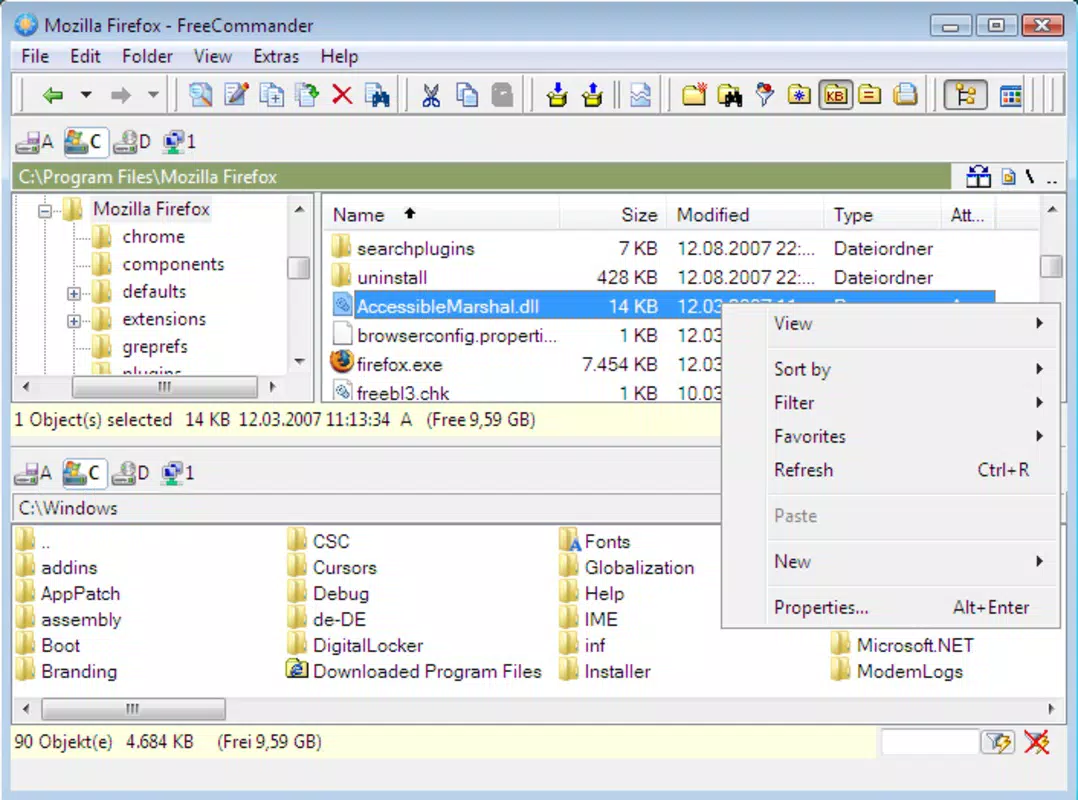
- Dual-Window Interface: The core of freeCommander’s design is its split-screen layout, allowing users to view two directories simultaneously. This enables effortless drag-and-drop file transfers, direct comparison of file contents, and side-by-side navigation. For example, a user can copy all image files from a camera folder to a backup drive while simultaneously checking the destination folder for duplicates.
- File Compression Support: Built-in tools for zipping and unzipping files eliminate the need for third-party software. Users can create compressed archives directly within the app, reducing file size for storage or email sharing. This is especially beneficial when sending multiple documents or large media files.
- Custom Search Functionality: Advanced search filters allow users to locate files by name, extension, size, date modified, or content. A user managing a research project can quickly find all .pdf files created in the last month, saving significant time compared to manual browsing.
- Folder Synchronization: This feature ensures that two folders remain identical by comparing files and updating the destination with changes. It prevents data loss and duplication, making it ideal for users maintaining project backups or syncing work and home directories.
- Multi-Language Support: Available in both English and Spanish, the interface caters to a broader audience, enhancing accessibility for non-English speakers. This linguistic inclusivity supports a more seamless user experience across regions.
Interface, UX & Performance
freeCommander presents a clean, functional interface with a traditional desktop layout optimized for keyboard and mouse use. The dual-pane design is intuitive, with clearly labeled panels, context menus, and toolbar shortcuts. Navigation is smooth, with breadcrumbs, quick access to favorite folders, and a built-in file preview for common formats.
The app responds promptly to user inputs, and although the developer did not list formal performance metrics, the lightweight 14.7 MB size suggests minimal system impact. It runs efficiently on a range of Windows devices, from older systems to modern machines. Responsiveness is consistent during file operations, and the app maintains stability even during complex tasks like bulk file transfers or archive creation.
The visual style is minimalistic, focusing on functionality over ornamentation. While the interface may appear dated to some users accustomed to modern UI trends, its clarity and efficiency make it highly effective. The lack of animations or flashy effects contributes to faster load times and predictable behavior.
Overall, the UX prioritizes speed and control, aligning with the expectations of users who value productivity over aesthetics.
Platform Compatibility & Technical Requirements
freeCommander is designed exclusively for the Windows operating system. It is compatible with Windows 10 and later versions, though the developer did not specify minimum OS requirements. The application has a file size of 14.7 MB, which is compact and suitable for quick installation and low-storage environments.
No additional software or system dependencies are required for basic functionality. The version released on December 30, 2024, indicates ongoing maintenance and updates. Although the developer did not provide information about hardware requirements, the lightweight footprint suggests it runs smoothly on systems with modest specifications.
Users should ensure their system meets standard Windows compatibility standards. The app does not appear to be available on mobile platforms or other operating systems, limiting its use to desktop environments.
Pros and Cons
Pros
- Completely free to download and use
- Efficient dual-window interface for file comparison and transfer
- Native support for file compression and decompression
- Advanced search tools for locating files quickly
- Folder synchronization to maintain up-to-date backups
- Available in both English and Spanish
Cons
- Not available on mobile platforms or non-Windows systems
- Interface design may feel outdated to newer users
- Limited customization options for UI themes or layout
- Developer did not disclose detailed system requirements
- No built-in cloud integration or remote access features
FAQ
Is freeCommander safe to download and install?
Yes, freeCommander is a legitimate tool distributed by its official developer. The app is free from malware and does not include bundled adware. It is recommended to download it from the official source to ensure authenticity.
Can I use freeCommander on older versions of Windows?
The developer did not specify minimum OS requirements. While the app is likely compatible with Windows 10 and later, performance on older systems such as Windows 7 cannot be confirmed without testing.
Does freeCommander support cloud storage integration?
No cloud storage integration is mentioned in the provided information. The app functions primarily with local and connected drives, without direct support for services like OneDrive, Google Drive, or Dropbox.
How often is freeCommander updated?
The latest version was released on December 30, 2024, indicating regular updates. However, the update frequency beyond this release is not disclosed.
Can I customize the interface or layout?
While the app allows basic navigation and panel arrangement, specific details about interface customization options were not provided. Users may have limited control over themes or layout adjustments.
Final Thoughts
freeCommander stands out as a reliable, no-cost solution for users seeking a more capable file management experience than what Windows Explorer offers. Its dual-window interface, built-in compression, and folder synchronization tools deliver tangible productivity gains. The app is especially valuable for professionals, students, and power users managing large volumes of digital content.
Despite its minimalistic design and lack of modern UI flourishes, its functionality and efficiency are unmatched at no cost. The inclusion of Spanish language support broadens its accessibility. For anyone looking to streamline file organization, reduce manual effort, and improve workflow efficiency on Windows, freeCommander is a compelling choice.
Download freeCommander now.


